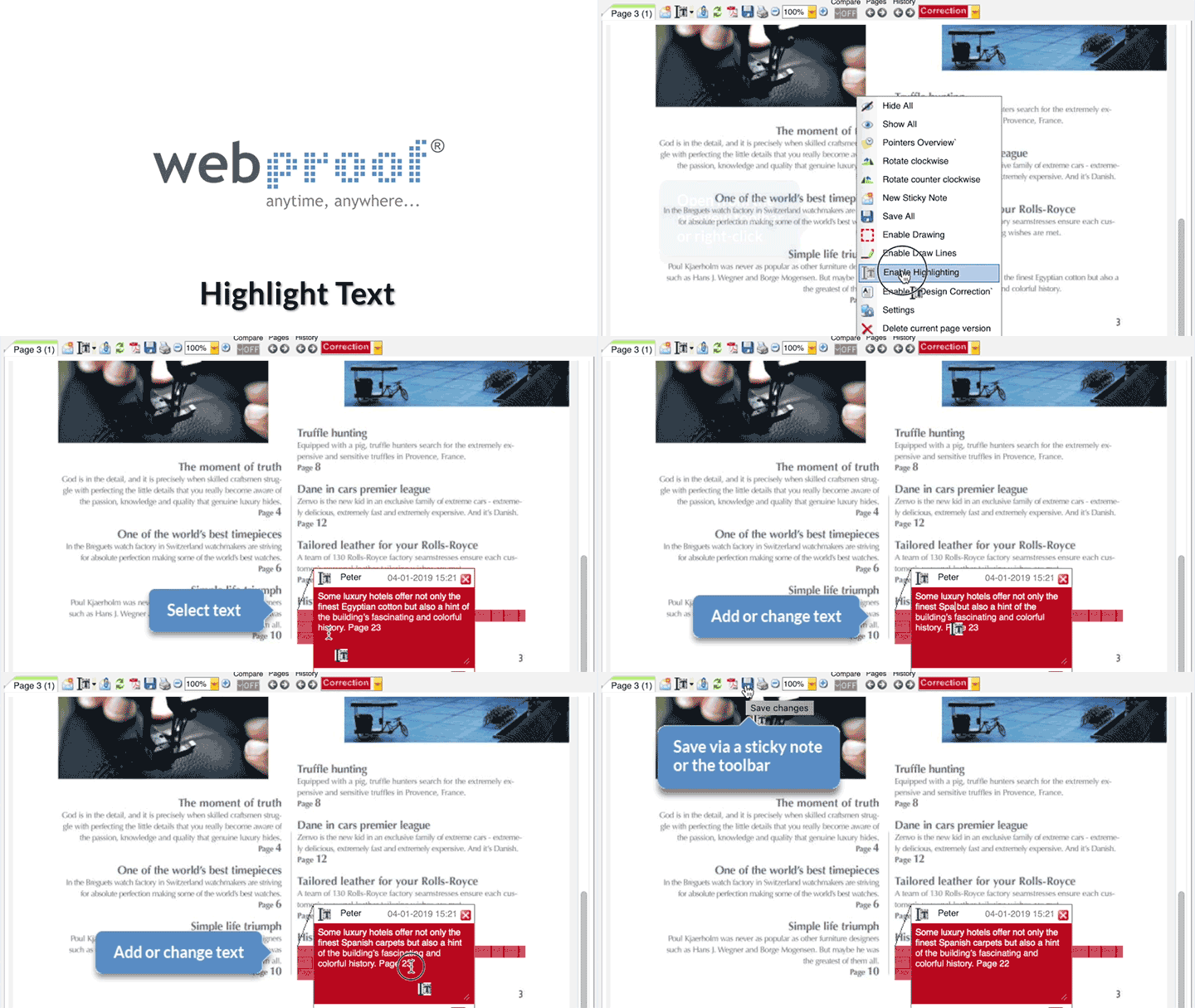
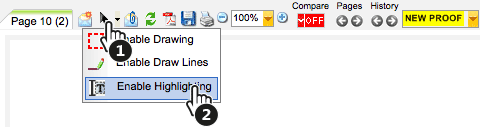
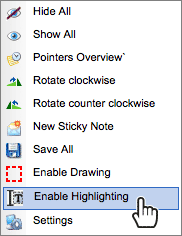
To use the highlight function, either right-click on the open preview page and select "Enable Highlighting", or select the highlight dropdown icon (next to "Add new comment") on the preview page.
The function is now selected.
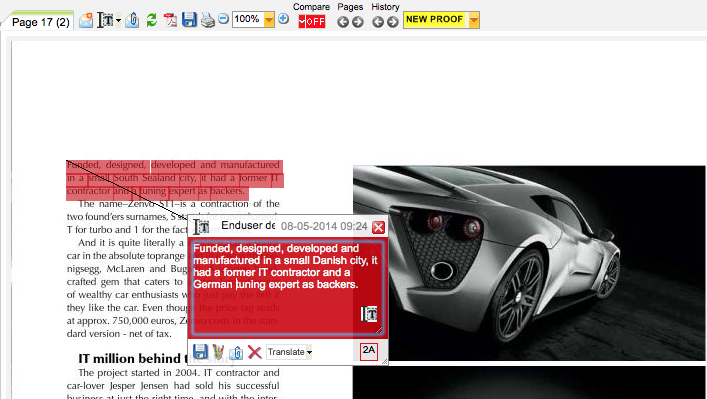
Then hold the left mouse button and highlight the text to which comments are to be made.
When the mouse button is released, a sticky note appears containing a copy of the highlighted text. The text can now be changed or comments can be added to the sticky note.
The sticky note must now be saved. This can be done directly in the preview window by clicking the diskette icon.
When finished with a page, all notes must be saved and a status must be selected. This can be done directly in the preview window by clicking the "Save" and "Status" icons.
Alternatively, close the preview page. A message box is then displayed, asking whether comments should be saved. The message box also gives a reminder that the status code needs to be changed for the page (if it hasn't already been done).
Comments